|
Typical Process of the IEE Indoor
Environmental
Evaluation Application |
| Before your first
inspection____________ |
| ---Create your own boilerplate libraries |
| ---You may copy and paste into the
library editor |
| ---You may create as many libraries as
you like |
| ---Library editor has a spellchecker |
| ---Libraries are dynamic and can be
changed anytime |
|
Before Inspection
| ---Enter Project Data (Client and
Location Information) |
| ---Create Checklist |
| ---Create Equipment List |
| ---Create Client Authorization Form |
| ---Prepare Invoice (If Used) |
|
At Inspection Site
| ---Verify and complete project data |
| ---Enter Site Data |
| ---Create site plans or drag and drop
directly into database |
| ---Use WI-FI camera
to insert site photos directly into the database. |
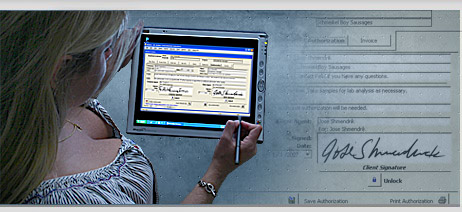
| ---Get client authorization (if required) |
|
Identify Specific Inspection Areas
| ---Zones – Examples: HVAC Zone #1, 2nd Floor,
Shipping Dept. Etc |
| ---Area – Type and Name – Examples: Office: Sales
, or Bedroom: Master, Etc. |
| ---Findings – Examples: Water Damage, Visible
Mold, Stained, Etc. - Use WI-FI camera to insert photos directly
into the database. |
| ---Field Measurements – Identify type of
Equipment used – Examples: Air Pump. Pin Probe, Sampling Media, Etc. |
| ---Create Lab Chain of Custody |
Create Report
| ---Report Text – Use existing libraries, modify
text on-the-fly, create new text |
| ---Site Detail Report is generated automatically
from the inspection data |
| ---Findings Detail is generated automatically
from the inspection data |
| ---Equipment Detail is generated automatically
from the inspection data |
| ---Select desired Site Photos, Site Plans,
Findings Photos and Attachments. |
Note:
| ---The WI-FI camera that is referred to above is
a Nikon P3 Coolpix digital camera. |
| ---It costs about $200. We can help you with the
WI-FI setup. |
For more information or specific questions please email :
iee@ieesolutions.com
|
|
|
 |
|
|
|