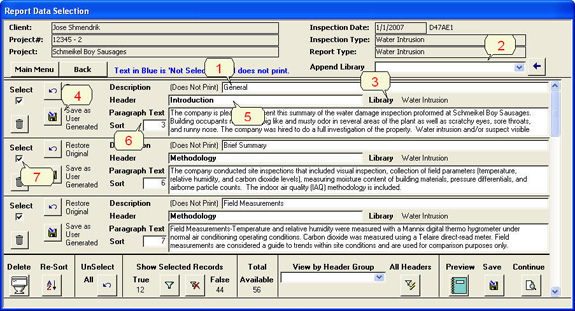
1. A non-printing ‘Description’ field is used to help identify
a specific section of text.
2. You can append any number of ‘Libraries’ .
3. Identifies the name of the parent ‘Library’ for this section
of text.
4. You may simply type a new section and save it to a ‘User
Library’.
5. A ‘Header’ identifies the focus of the text section.
6. You can change the sort order of your sections.
7. When you select a section to be included in your report, the
font color changes from Blue to Black.