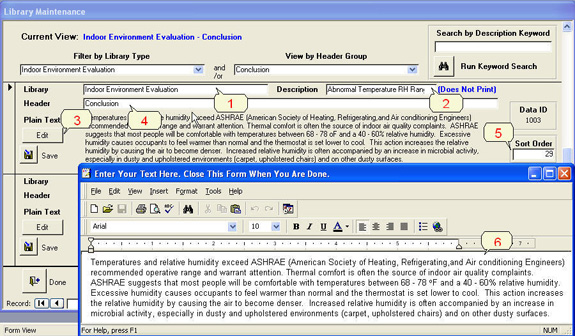
1. You can add text to any ‘Library’. You can change the
‘Library’ of any text. You can create
a new ‘Library’.
2. A non-printing ‘Description’ field is used to help identify a
specific section of text.
3. Click here to open the text editor.
4. A ‘Header’ identifies the focus of the text section.
5. You can change the sort order of your sections.
6. You can use any formatting features on your text.